Table of Contents
Introduction
How enduring psychology meets emerging technology to produce experiences people love
Technology evolves daily, yet human psychology remains largely unchanged. While we're chasing the newest AI technologies, AR interfaces, and voice-controlled devices, the underlying principles of how human beings think, make decisions, and communicate remain unchanged.
Technology evolves daily, yet human psychology remains largely unchanged. While we're chasing the newest AI technologies, AR interfaces, and voice-controlled devices, the underlying principles of how human beings think, make decisions, and communicate remain unchanged.
That's why the best digital products of 2026 are not just technologically advanced-they're psychologically intelligent. They understand that fantastic UX is not about trendy features; it's about applying timeless psychological principles with modern technology. To truly master these principles, designers must first understand the core UX fundamentals and how they evolve alongside modern interfaces.
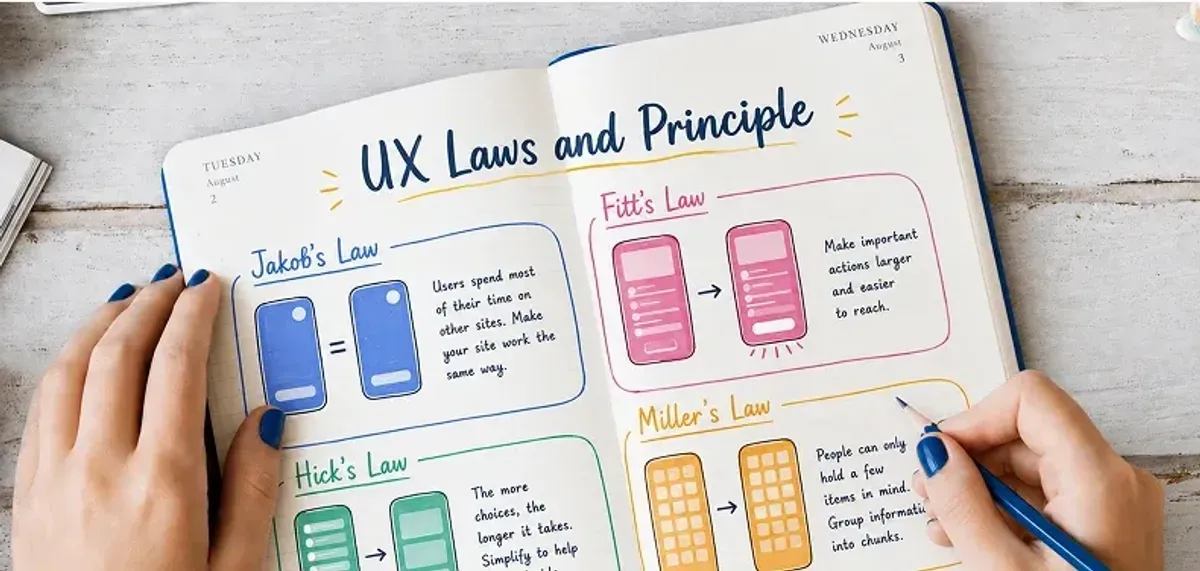
Here, we'll discuss four of the most significant ux-laws-principles-digital-design that underlie the best digital experiences of the day. They're not hypothetical ideas-these are real rules that companies like Apple, Google, and Netflix apply to develop products that are effortless and intuitive.
The Relevance of UX Laws in 2026: A Growing Necessity
Before we can look at specific laws, we need first to understand why these principles have been taking on growing importance in our AI-dominated world.
- The Paradox of Complexity: Apps are extremely complicated in the background these days, yet individuals expect them to be simplistic. Customizations based on AI, real-time processing, and cross-device synchronization build rich experiences-but only if complexity is not exposed to users.
- The Attention Economy: With the infinite digital distractions of our universe, customers make split-second decisions on whether or not to utilize your product. You have milliseconds to impress and seconds to demonstrate your worth.
- Platform Proliferation: Users now interact with products on mobile, desktop, voice assistants, and new AR/VR interfaces. UX laws offer common guidelines that apply across all of these platforms.
Tesler's Law: Offloading Complexity from the User Interface
Applying Tesler’s Law effectively requires a strong grasp of the overall UI UX process, where complexity is systematically reduced across each design stage.
- The Principle: There is always going to be a certain irreducible complexity in every system. This built-in complexity will either be managed by the system or passed on to the user.
- Relevance in the Year 2026: Surface simplicity is what people want today, but in the background, products are becoming increasingly complex. AI integrations, multi-step workflows, and rich personalization create powerful capabilities-but also potential confusion.
- Platform Proliferation: Users now interact with products on mobile, desktop, voice assistants, and new AR/VR interfaces. UX laws offer common guidelines that apply across all of these platforms. Tesler's Law reminds us that complexity is not gotten rid of, but redistributed. The important question is whether or not users will face that complexity themselves or if the system will handle it for them.
- Real-World Application: TurboTax's AI-Powered Simplicity: Instead of bombarding taxpayers with tax documents and IRS jargon, TurboTax uses conversational AI to guide taxpayers through step-by-step question-and-answer processes. In the background, hundreds of tax laws are being calculated, but taxpayers are given simple, context-relevant questions.

The Outcome: Rates of task completion boosted by 30% over the traditional tax software.
A Guide to Applying Tesler's Law
- Use Intelligent Defaults: Auto-fill forms with probable responses based on user information.
- Progressive Disclosure: Initially show only the essential options, while allowing access to advanced features when necessary.
- Contextual Automation: Automate routine decisions using artificial intelligence, but retain users in control of important decisions.
- Clear Mental Models: Organize complex features into familiar patterns that individuals already know.
Evaluation Metrics
- Dropbox: Artificial intelligence-powered folder recommendations minimized decision fatigue, resulting in an 18% boost in new account activations.
- Shopify: Simplified checkout with automation boosted mobile conversions by 15%.
Aesthetic-Usability Effect: Beauty That Builds Trust The Principle
- The Principle: More usable designs are judged to be more beautiful, even with equal functionality.
- The Science behind First Impressions:Stanford's Web Credibility Project research determined that 75% of visitors to a site determine the credibility of a site based on visual design alone. In our hyper-competitive internet age, pretty interfaces don't simply feel more intuitive to use-they actually work better.
- Real-World Application: Revolut's Trust-Building Design: Revolut, a banking app, uses simplified animations and a minimalist style to make complex financial transactions look easy and secure. The card-flipping animations mimic familiar physical motions, thus further increasing the sense of trust in digital banking.

The Outcome: 25% longer session lengths and dramatically decreased bounce rates.
Investigative Findings
- Nielsen Norman Group (2024): The Aesthetic-Usability Effect is 40% stronger in immersive AR/VR interfaces.
- Design Management Institute: Design-driven companies outperformed the S&P 500 by 219% over 10 years.
- Google Research: Within less than 0.05 seconds, users select sites, and visually complex designs lower confidence and conversion.
Application Methodology for the Aesthetic-Usability Effect
- Prioritize Visual Hierarchy: Employ consistent spacing, typography, and colors to direct attention.
- Embrace Micro-Interactions: Subtle animations provide feedback and make interfaces feel responsive.
- Uphold Uniformity: Create a consistent design framework that functions well across every interaction point.
- Balance Beauty and Accessibility: Make your design both beautiful and accessible to all.
Goal-Gradient Effect: The Psychological Foundations of Progress
- The Principle: People tend to exhibit higher motivational levels when they are closer to achieving a goal..
- The Significance of 2026:In a time of widespread digital distractions, it is harder than ever to keep users engaged and motivated. The Goal-Gradient Effect provides a psychological foundation for designing experiences that will keep users committed to completing them.
- The Motivation Science: This principle draws on basic human psychology: we're inclined by nature to make progress and achieve things. If users can view how close they are to finishing a task, they're far more likely to see it through.
The Findings
- 34% reduction in app abandonment.
- Remarkably high levels of daily active users
- Remarkably high levels of daily active users
Modern Uses
- LinkedIn Profile Strength: Tells users clearly what they need to fill in to finish their profile, leading to 34% fewer incomplete profiles.
- Spotify Wrapped: Build anticipation by revealing to listeners they're "almost" at new listening milestones, boosting engagement throughout the year.
Application of the Goal-Gradient Effect
- Visual Indicators of Progress: Utilize progress bars, checklists, or completion percentages.
- Decompose Extensive Tasks: Segment intricate procedures into more manageable and attainable components.
- Mark Important Milestones: Celebrate progress through small parties or rewards.
- Personalized Goals: Leverage artificial intelligence to set achievable, personalized goals for every individual user.
- Real-World Application: Duolingo's Engagement Magic:Duolingo uses visual indicators of progress, including achievement badges, streaks, and progress bars, as motivators. The closer the users get to achieving their daily goals, the greater the motivation to achieve these goals.

Law of Proximity: The Power of Visual Grouping
The Principle : Things that are near one another are felt to be connected, even if there are no clear labels or boundaries.
Why It Matters in 2026: With responsive design and modular UI systems the norm, visual grouping of elements more than ever impacts usability. Especially on small mobile screens, clear spacing and grouping direct attention and avoiding mistakes.
The Cognitive Science: The human mind tends to organize information that is interconnected to optimize processing time. If visually connected items are put together, individuals can easily scan, comprehend, and respond.
Real-World Application: Shopify's Conversion Optimization Shopify reorganized its checkout process consistent with proximity principles, placing proximal form fields (such as CVV and card number) closer together and clustering shipping details.
The Results:
- 22% decrease in form mistakes.
- 15% mobile checkout completion increase
- 20-30% increase in micro-conversions.
Modern Design Paradigms
These companies (Google, Material Design; Apple, Human Interface Guidelines) now employ "spacing tokens" to equally apply proximity rules to every screen size and device.
Application of the Law of Proximity
- Group Related Actions: Related buttons, links, and form fields together.
- Use Whitespace Purposefully: Create visual contrasts between elements that are differentiated.
- Standard Spacing Systems: Create standard spacing guidelines for your design system.
- Mobile-First Grouping: Design with explicit grouping for small screens first, and scale up.
Success Indicators
- Impact of E-commerce: Sites like Amazon aggregate product details, price details, and purchase options, which helps facilitate quicker decision-making processes and increases conversion percentages.
- Social Media Efficiency: Instagram groups images with their interaction buttons (like, comment, share), encouraging quick engagement.
The Future Trends in User Experience Regulations: Expected Developments
The Future Trends in User Experience Regulations: Expected Developments
New UX Laws
- Voice Interaction Principle: Voice interfaces are most effective with short, context-sensitive answers.
- Haptic Feedback Law: Tactile feedback should be aligned with visual and audio feedback.
- AI Transparency Principle: Where AI systems are uncertain, they should communicate that uncertainty to users.
Cross-Platform Consistency
When consumers switch between voice, desktop, mobile, and augmented reality interfaces, the same fundamental forces play out everywhere. While the specific applications themselves differ, their underlying psychological elements do not.
Key Takeaways: Psychology Still Rules Digital Design
The best digital products of 2026 achieve an underlying tenet: technology enhances psychological drivers instead of replacing them.
Remember:
- Complexity management (Tesler's Law) is smart system design, and not cutting features.
- Aesthetically pleasing interfaces (Aesthetic-Usability Effect) enhance trust and subjective usability.
- Progress visualization (Goal-Gradient Effect) encourages and results in completion
- Visual grouping (Law of Proximity) enhances understanding and minimizes mistakes.
In short, good UX designers of 2026 are not only keeping up with technology trends; instead, they are implementing ageless human psychology principles, smartly using tools of the time
.png&w=640&q=75)