Table of Contents
Introduction
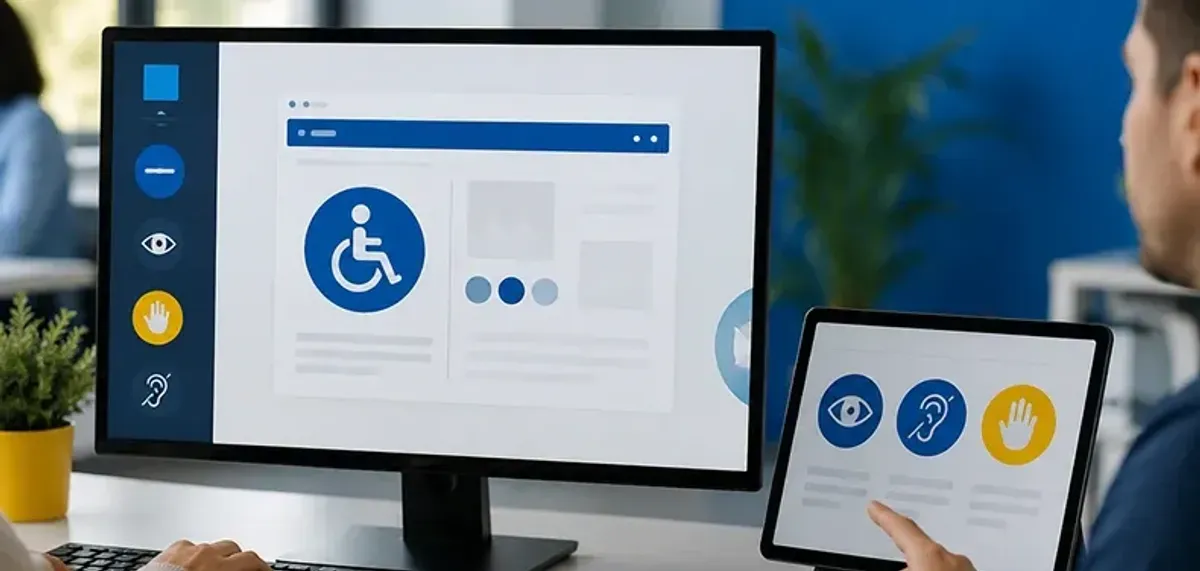
When you launch your go-to app, chances are you don't give much thought to whether or not you can read the text easily, navigate using a keyboard, or decipher a video with insufficient audio. For millions of people globally, though, those subtle distinctions make the difference between being able to use a product at all. That necessity is served by accessibility in UX design, and it is the underpinning for designing inclusive digital products as opposed to an afterthought.
It's not a "nice to have" in 2026 to be available. It's a corporate imperative, a legal mandate, and an ethical one. Let's examine what accessibility is to UX designers now, its principles, practical applications, and future possibilities.
Why Accessibility in UX Design Matters
Think about accessibility as the bridge that unites people with technology. A very substantial portion of the population of the world is locked out when designs do not cater to users who have disabilities, be they visual, auditory, motor, or cognitive.
The moral argument is simple: access to digital content is a human right. Legally, the force is mounting, with laws such as the, Americans with Disabilities Act(ADA) Section 508, and the EU Web Accessibility Directive leading to lawsuits and expensive fines for non-compliance. There is a strong business case alongside ethics and compliance. Nobody's usability is left behind with accessible design.
High color contrast benefits outdoor users, keyboard shortcuts streamline workflows for power users, and captions help commuters in noisy spaces. Accessibility builds customer loyalty, opens up your audience, and boosts SEO. Aside from being the right thing to do, businesses who opt for accessibility are also getting a competitive edge.Understanding the UX fundamentals- empathy, usability, and human-centered thinking- makes it clear why accessibility isn't a bolt-on feature but a core design value that should be woven into every decision from day one.
The Standards Informing Accessibility
Learning the standards that govern accessibility is the initial step for designers. The de facto standard remains the Web Content Accessibility Guidelines (WCAG).
- The latest,WCAG 2.2, puts significant focus on basics such as color contrast, sensible focus order, and keyboard support.
- WCAG compliance in the United States is a de facto legal bulwark because the ADA has increasingly been applied to websites and apps
- Federal governments are beholden to Section 508, as are their contractors and vendors.
- Apps, documents, even devices such as ATMs and kiosks fall under EN 301 549 in Europe.
WCAG 3.0 is expected to make a major change, going beyond addressing AR/VR, IoT, and personalization to moving away from rigorous pass/fail tests to conformance scores.
If all this feels overwhelming, remember that accessibility is not about memorizing every rule, but rather about making products accessible to as many people as possible. The process is guided by empathy, and standards provide the road map.
Testing Accessibility: Going Beyond Checklists
Improvement requires testing, and testing accessibility entails much more than just using an automated tool.
- The automated tools Lighthouse, WAVE, and Axe DevTools are good starting points.
- More complex issues are uncovered by manual testing: Can the site be navigated using only a keyboard? Does the content get properly read by a screen reader like JAWS or NVDA?
- Federal governments are beholden to Section 508, as are their contractors and vendors.
- Obstacles that no tool can detect are uncovered by user testing with people with disabilities.
Other teams apply tools such as Playwright+ Axe to integrate checks into CI/CD pipelines. Others are focused on accessibility. The best strategies include human evaluation, automation, and real user feedback.
The Challenges Designers Encounter
Why is it that every product is not accessible when accessibility is so crucial? Common barriers include:
- Ignorance: Most teams do not know the requirements.
- Stakeholder resistance: Accessibility is erroneously believed to be effort or cost-intensive.
- Standards keep shifting: It is hard to keep up with local laws and WCAG developments.
- Workflow that happens fast: Agile iterations often ignore accessibility.
Culture is where the solution begins. Accessibility needs to be championed by designers as good UX, not as an added feature. Stakeholders can be persuaded by illustrating real case studies of accessibility enhancing conversions and retention. Accessibility stays real when users with disabilities are engaged from the early stages of design and testing.
The Challenges Designers Encounter
Why is it that every product is not accessible when accessibility is so crucial? Common barriers include:
- Ignorance: Most teams do not know the requirements.
- Stakeholder resistance: Accessibility is erroneously believed to be effort or cost-intensive.
- Standards keep shifting: It is hard to keep up with local laws and WCAG developments.
- Workflow that happens fast: Agile iterations often ignore accessibility.
Culture is where the solution begins. Accessibility needs to be championed by designers as good UX, not as an added feature. Stakeholders can be persuaded by illustrating real case studies of accessibility enhancing conversions and retention. Accessibility stays real when users with disabilities are engaged from the early stages of design and testing.
How AI and Emerging Tech Are Changing Accessibility
By 2026, accessibility is being sped up by technology in new forms. AI is filling gaps left by static rules:
- Live captioning and translation are necessary for Deaf users, but they are also useful globally.
- Voice recognition: From adaptive speech recognition to dictation.
- Assistive devices: Access is amplified by inclusive hardware, such as Microsoft's Xbox Adaptive Controller.
- AI apps: Applications such as Be My Eyes employ AI vision to assist blind individuals in navigation in the real world.
In the near future, AI-driven personalization could enable interfaces to automatically transform inputs, layouts, or fonts to meet user needs.
Stories From the Real World
Accessibility isn't abstract. Organizations from diverse industries are demonstrating it's not only possible but also practical to incorporate inclusivity into business:
- Shopify incorporates accessibility into design systems, making store themes accessible as default.
- John Lewis & Partners re-engineered checkout following accessibility audits to enhance usability for everyone.
- Typeform engages individuals with disabilities in testingto identify problems early.
- Netflix pushes streaming accessibility forward with customized captions and audio descriptions.
These are just some of the examples that illustrate accessibility as driving both inclusivity and business value.
The Road Ahead: Accessibility in 2026 and Beyond
So what comes next? Trends are emerging quite clearly:
- WCAG 3.0 will include AR/VR and IoT.
- AI-powered personalization will change interfaces in real time.
- Voice and gesture interfaces will enter the mainstream, assisting users with mobility requirements.
- Accessibility will be a key differentiator that's linked to SEO and conversions.
Above all, accessibility is transforming from a checklist to an attitude. It's about building experiences that fit around people, not the reverse.
Final Thoughts
The future of digital experiences is inclusivity in UX design and not a trend. By 2026, companies that prioritize inclusivity are not only complying with the law but also creating better products for all buyers. The takeaway is simple for anyone in design, development, or business leadership: accessibility is designing for everyone, not "them."
.png&w=640&q=75)