Table of Contents
Introduction
Consider the last time you quit a website or an application. Most likely, it was not because of a server crash or an absent API. It was some kind of user interface that moved you to another site, some heavy page, some unresponsive button, or some design that just did not strike you as good.
Which is why UI testing is important. In the words of one analyst, users do not wait more than three seconds before a page loads. By 2026, when users have to deal with dozens of applications that they use daily, patience is low. One slip on the interface may lead to loss of customers, revenues, and NAME. UI testing is no longer a quality check at the tick-box level anymore; it is the thing that products compete and win with.
This primer unpacks what UI testing is, and why it is essential in this digital environment, the tools driving it, and how the most successful teams are transforming how they do it.
UI Testing: What Is It?
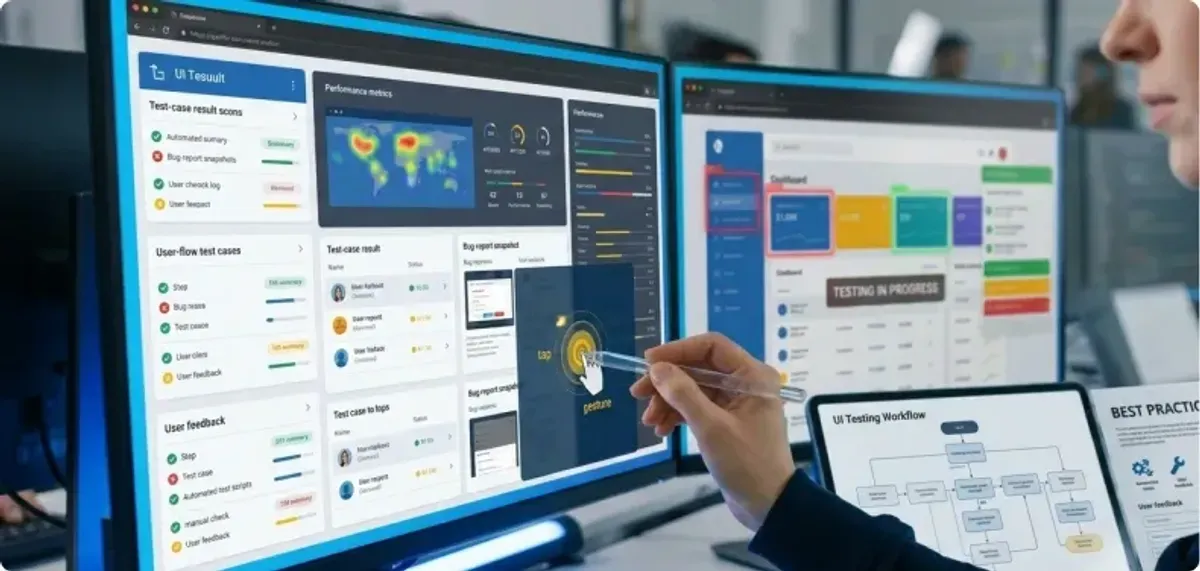
UI testing (User Interface Testing) combines all of these elements to make sure all the seen and interactive parts of an application work as they should. It is about assuring that the buttons can be clicked, forms sent, menus toggled and layouts should smoothly port across devices. However, contemporary UI testing is about much more than whether or not it works.
verifies the intuitive nature of workflows as opposed to frustrating ones. The designs are cross-browser, screen-size, and operating system consistent. Interfaces can be accessed by all members, including those with disabilities and real-life stress performance.
Briefly stated, UI testing is a way for businesses to establish trust. Your storefront is a smooth and dependable interface. To developers, it eliminates work duplication over and over again and delays releases. To users, it develops the frictionless experiences to which they have grown accustomed.
The Manual vs Automation FOR the Spectrum of UI Testing
Single Meydas of testing are not everything. Effective teams, with reference to the development cycle, depend upon the mix. All is not lost to manual testing yet, particularly in the beginning. Automation misses what human testers pick up: a painful process, ineffective color contrasts, or a page that is hard to navigate.
Testing and repetitive heavy lifting are done in an automated way. The fact is that not only is the functionality tested (Pressing of the submit button), but also the layout and typography are pixel-perfect.
Accessibility testing, along with cross-platform testing, ensures acceptance and uniformity. Performance testing means that your interface will not fall apart when under the actual load. It is also important to resort to exploratory methods such as pretending to be actual users or stress-testing corner cases. It is not testing more but testing smarter.
The Instruments that Propel UI Testing in 2026
The terrain has changed tremendously. The old-time stalwarts such as Selenium continue to be important, but newer AI-driven tools are shaking up the mix:
- Cypress: developer-friendly, fast, works great with apps that use a lot of JavaScript.
- Playwright: Runs tests in multiple browsers at the same time, which is all the rage lately on architectures.
- Applitools & Percy:Run AI and find even the smallest visual regressions.
- Testim:self-healing locators minimize flaky test failures.
- Chromatic:Designed to work as a team tool, allowing designers, PMs, and devs to look through visual changes (integrated directly into Git workflows)
It is not only faster testing that this new wave is all about, but silo busting. Now the designers, testers, and developers can work in collaboration so that they identify problems in advance so that they do not get to the user.
What High-Performing Teams Do Differently?
Tools aren’t a silver bullet. Winning teams also think about UI testing differently. Some standout patterns include:
- Shift-left testing:Start testing as early as design & code. Don’t wait till pre-release.
- CI/CD integration:Every commit triggers UI tests automatically, instead of building up.
- Continuous testing:Test in production-like environments constantly, instead of during release cycles.
- Collaboration across roles: Designers and PMs help to validate visual diffs.
- Accessibility-first mindset: Accessibility isn’t a checkbox; it’s a requirement by default.
These are no longer “best practices,” but table stakes for survival in a hyper-competitive market.
Common Challenges (and How Teams Solve Them)
Even the best workflows hit roadblocks. Some of the biggest headaches in UI testing today include:
- Flaky tests - often due to dynamic UI or async operations. Combat with self-healing scripts and smarter waits.
- Performance bottlenecks -no users will tolerate a 5-second load time. Automated load testing in CI pipelines prevents this.
- Scaling across devices - cloud-based solutions like Playwright, LambdaTest, and Selenium Grid.
- Complex UI elements -animations, charts, and visualizations are notoriously difficult to test. AI-driven visual tools such as Applitools come into play.
Winning teams are the ones that adapt to these realities quickly.
The Future of UI Testing: AI Takes the Wheel
If there’s one trend dominating the UI testing landscape, it’s AI. AI is making UI testing not only faster, but smarter.
- Self-healing tests: Tests that automatically update themselves when the UI changes.
- Predictive testing:Machine learning is used to predict which areas of the app are most likely to have defects.
- Computer vision verification: UIs are pixel-by-pixel compared to design baselines.
- Low-code / no-code testing: Non-developers can create and maintain automated tests.
In practice, this means less flaky tests, faster releases, and more contributors to quality.
Real-World Stories
It’s something a lot of businesses are already doing.
Each night, each of our banks runs Panda and Applitools tests to stay adherent and avoid expensive regressions.
E-commerce - Retailers depend on Cypress in the cloud to automate across the entire flow, ensuring their experiences work perfectly across all devices.
SaaS businesses deploy AI-powered self-healing tests to release updates daily without interrupting customer experiences.
In this sector, where one broken checkout flow can lead to millions in lost sales, these are not “nice-to-haves”.
What’s Next?
Here’s how we’re already seeing UI testing change:
- AI will be everywhere, from predictive analysis to automated troubleshooters.
- Testing will be done entirely in the cloud for scale and speed.
- New UIs will rise up like AR, VR, and voice, which will need new testing frameworks.
- It will be standard that everything is accessible, rather than something added on.
- Security, performance, and UX will become a single pipeline.
Conclusion
UI testing has outgrown its role as a behind-the-scenes QA step. Where users have zero tolerance for bad design, it’s the frontline defense of customer trust.
As one of our testers has said, “UI testing allows us to see the product through the eyes of the user.” That mindset, in the context of AI-driven automation, collaborative tools, and a culture of testing early and often, is why the leading teams of 2026 deliver not just functional products but experiences that make people stay.
UI Testing by Anarish isn’t only a manual; it’s a manifesto to confront testing as not a job but as a way to win in an overcrowded, cruel digital world.
Read Next: Complete UI/UX Design Process: An Expert's Guide for India
.png&w=640&q=75)